Optimize Your Productivity and Creativity with a Digital Notebook Planner KDP Interior
For many modern professionals, creators, and entrepreneurs, the quest for organization often oscillates between analog notebooks and scattered digital files. This fragmented approach can drain focus and stifle productivity. The Digital Notebook Planner KDP Interior offers a compelling solution, bridging the gap between structured planning and creative flexibility. It’s more than just a downloadable file; it’s a foundational toolkit designed for self-publishing on platforms like Amazon KDP or for personal use, providing a professionally formatted interior that you can adapt to your unique needs.
Why a Pre-Formatted Digital Planner Interior Matters
Creating a planner from scratch is a time-intensive process fraught with technical hurdles. Issues like improper margins, inconsistent fonts, or low-resolution graphics can render a product unusable. A high-quality Digital Notebook Planner KDP Interior, like the 2022 edition described, solves these problems upfront. It provides a tested, print-ready framework. This means you can focus on customization—adding your brand, adjusting colors, or inserting specific content—rather than wrestling with basic design and compatibility. For bloggers, educators, and small business owners, this efficiency translates directly into faster project completion and a more polished final product.
Common Oversights When Choosing a Digital Planner Template
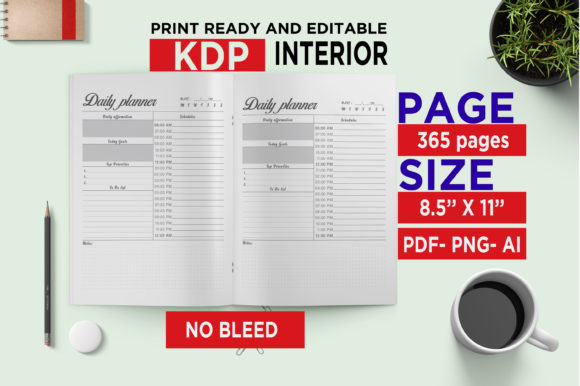
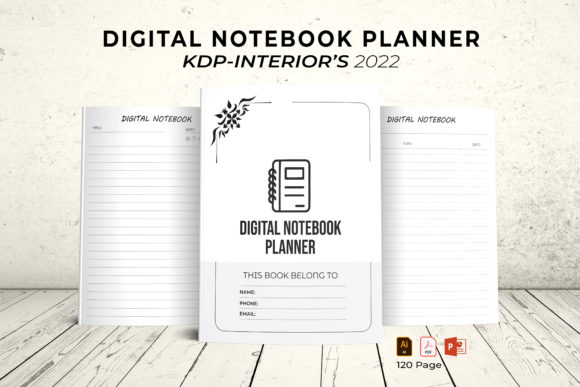
A common mistake is selecting a template based solely on its visual appeal in a preview image. While aesthetics are important, the technical specifications are what determine usability. For instance, a template advertised as "print-ready" might not specify the bleed settings. The 2022 Digital Notebook Planner explicitly states No Bleed, which is perfect for standard home or office printing and KDP uploads, but if you needed a template for a print shop requiring bleed, this would be an incorrect choice. Always match the file’s specs—like the included 8.5 x 11 inches US Letter size and 300 DPI—to your intended output method.
Another frequent oversight is neglecting the file format versatility. This particular interior includes an Illustrator AI/EPS file, a PowerPoint PPT file, JPEGs, and a PDF. Beginners might gravitate towards the PDF, thinking it’s the easiest to use. However, the fully editable vector files (AI/EPS) are where true customization happens. If you wish to change colors fundamentally or resize the 100 vector shapes without quality loss, you need the vector formats. Not having access to, or ignoring, these source files limits your creative control and can lead to a generic-looking final planner.
Start with Your End Goal in Mind
Before you even download or open the files, define your purpose. Are you creating a planner to sell on KDP? Are you making a personal journal for home printing? Your goal dictates which files you’ll use most. For KDP sellers, the NO BLEED PDF is typically your final upload file. You’ll use the editable Illustrator or PowerPoint files to make your customizations first. For personal use, the JPEGs or PDF might suffice for quick printing. This forward-thinking approach prevents wasted time editing files you won’t ultimately use.
Understand the True Meaning of "Editable"
The term easy to editable file is sometimes misunderstood. It doesn’t mean you can effortlessly edit it in any software. It means the file is structured in a professional application (like Illustrator or PowerPoint) with layers and elements that are unlocked and modifiable. If you lack these software programs, your "editing" capability is severely limited. A better approach is to check the included formats against the software you own. The inclusion of a PowerPoint 2016 PPT file is a major advantage for those without advanced design software, as PPT is more universally accessible for solid customization.
When editing, a practical tip is to first experiment with the easy to change colors feature. Changing the color palette is one of the fastest ways to personalize the planner and align it with your brand or personal taste. Do this in the vector file to ensure the changes propagate cleanly throughout all elements.
Validate Compatibility and Quality Before Finalizing
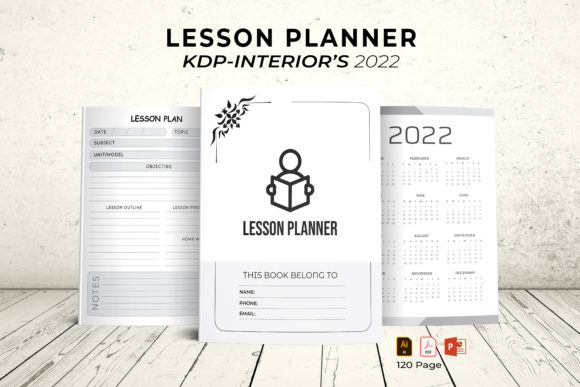
Even with a tested template, you should perform your own quick checks. If using for KDP, generate a proof from the PDF using KDP’s previewer to ensure the 120 pages, including the cover page and 2022 calendar, appear correctly. For home printing, print a single test page (like the calendar) to verify the scale and clarity on your specific printer. This simple step catches any minor issues that could affect the entire batch, saving you paper, time, and frustration.
Also, leverage the 100 vector shapes wisely. These are re-sizable without loss of quality, allowing you to create unique page layouts. A common mistake is using them at their default size only. Instead, consider resizing and combining them to create custom sections for habit tracking, project milestones, or financial logs, thereby enhancing the planner’s utility beyond its default design.
A Constructive Path to a Successful Planner Project
The journey from downloading a Digital Notebook Planner KDP Interior to having a finished product in hand or on sale should be straightforward and rewarding. By avoiding the pitfalls of ignoring technical specs, underestimating the value of editable source files, and skipping final proofing, you set yourself up for success.
This specific 2022 Digital Notebook Planner package, with its multiple file formats and clear no-bleed design, is an excellent choice for those seeking a balance of structure and freedom. It empowers you to build a tool that reflects your style or brand, whether for selling to others or elevating your own personal organization system. Remember, the best digital planner is one that not only looks professional but also seamlessly fits into your workflow or business model. Starting with a robust, well-constructed interior like this is the most efficient way to achieve that result, turning potential complexity into a simple, creative process.